Drop-down list in excel
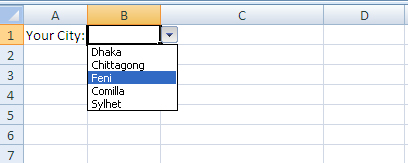
If you want users select an item from a list, instead of typing then drop-down list in excel is helpful.
1. On a sheet, type the items you want to appear in the drop-down list. we entered in sheet 1
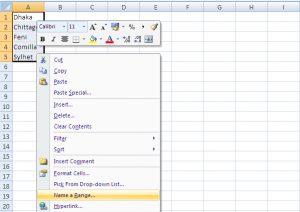
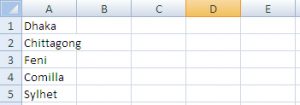 2. Select A1:A5 and Click right button and click on Name Range and give a name. We gave city
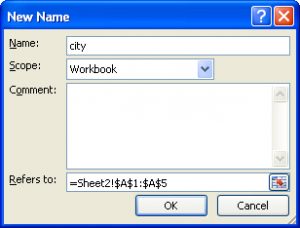 3. On the Second sheet, select cell B1.
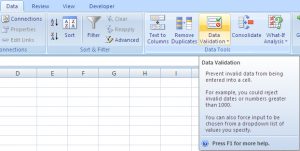
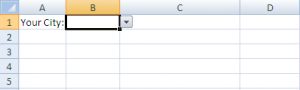 4. On the Data tab, in the Data Tools group, click Data Validation.
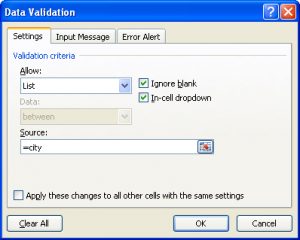 5. In the Allow box, click List.
6. Click in the Source box and write =city (name of the data range)
7. Click OK.
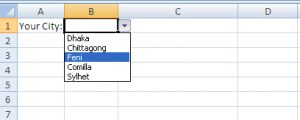
8. Result
5. In the Allow box, click List.
6. Click in the Source box and write =city (name of the data range)
7. Click OK.
8. Result
2. Select A1:A5 and Click right button and click on Name Range and give a name. We gave city
3. On the Second sheet, select cell B1.
4. On the Data tab, in the Data Tools group, click Data Validation.
5. In the Allow box, click List.
6. Click in the Source box and write =city (name of the data range)
7. Click OK.
8. Result
nice to have this, i just practiced. thank.
Thanks.