Project: Turning Payment Screenshots into a Fuel Expense Tracker
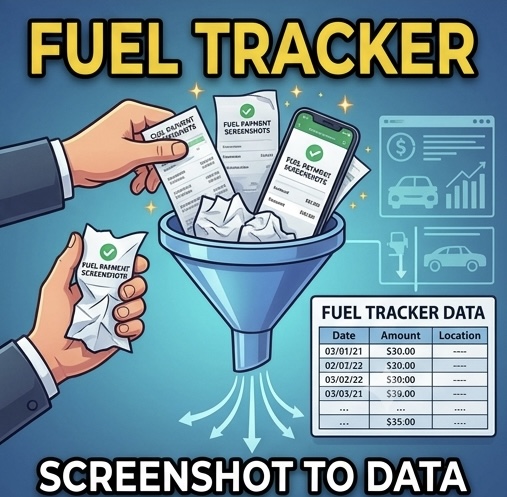
Fuel payments have a way of scattering themselves across payment apps, cards, and receipts. What I actually had, at the end of a month, was a phone gallery full of payment confirmation screenshots from multiple sources — and no consolidated record. This project turned that pile of images into a clean Excel tracker, using AI’s ability to read pictures.
The old way vs the new way
The old way: open each screenshot, squint at it, retype the date, the amount, and the payment source into a spreadsheet, and hope no digit got transposed along the way. The new way: upload the screenshots to an AI assistant in a batch and ask for a structured table — date, amount, payment method, and description for every transaction. Modern AI models read images remarkably well, including the small text on payment confirmations, and different layouts from different apps in the same batch.
From extracted data to a working tracker
Extraction was only step one. The output became a proper Excel workbook: one row per transaction, columns for date, source, and amount, monthly totals, and a breakdown by payment method so I could see at a glance how spending split across the different sources. A month of scattered screenshots became one tidy, sortable sheet covering every fuel transaction.
The verification step — non-negotiable
Here’s the accountant’s caveat, and it matters: AI transcription is good, not perfect. Before trusting the tracker, I checked the extracted totals against the source screenshots. The right mental model is that the AI does the typing — the tedious, error-prone transcription — while you do the tie-out, exactly as you would review a junior colleague’s data entry. That division of labour is fast and safe; skipping the review is neither.
Where this pattern applies
Fuel was just my use case. The same approach works for any expense category that lives in images: parking receipts, utility payment confirmations, delivery invoices, petty cash vouchers. If your source documents are photos and your destination is a spreadsheet, you no longer need to be the human bridge between them. Photograph, upload, extract, verify — and get an hour of your month back.